
For diners
How Mint works when you eat out
Mint shows you a restaurant’s menu filtered to your food allergies. It’s free, you don’t need to download an app, and you don’t need to have an account — just scan, choose your allergens, and see which dishes are safe.
Mint covers all 14 allergens regulated by UK food law.
Scan the venue’s QR code
Look for the Mint QR code on the table, at the counter or on the menu of a participating venue. Scan it with your phone’s camera and the venue’s menu opens in your browser. No need to install an app.
Before any allergen information is shown, Mint asks you to accept its Menu Terms, including the most important rule of all: always confirm your allergies with venue staff.
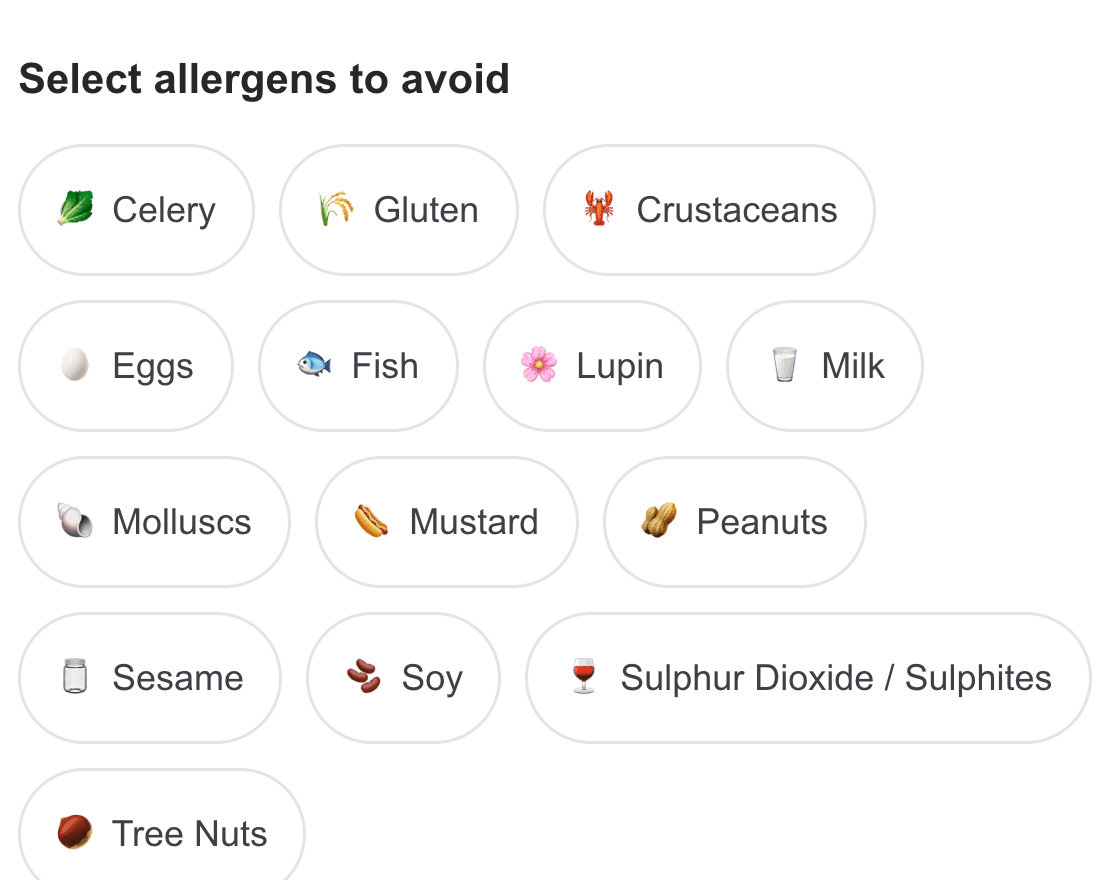
Choose your allergens
Pick the allergens you need to avoid from the 14 regulated in the UK — just for this visit, with nothing to sign up for.
If you have a free Mint profile, you can sign in instead and your saved allergens are applied automatically. Profiles can be created for family members too, so one scan can check the menu for another person’s allergies, like your child’s.
Read your menu
Mint filters the venue’s menu for you, so the question you actually care about — what can I eat here? — is answered easily. Dishes with choices, like a steak with a choice of sauces, show you which options are safe rather than ruling out the whole dish.
Nothing is ever hidden. The full allergen list stays visible on every dish, including the ones flagged as unsafe for you.
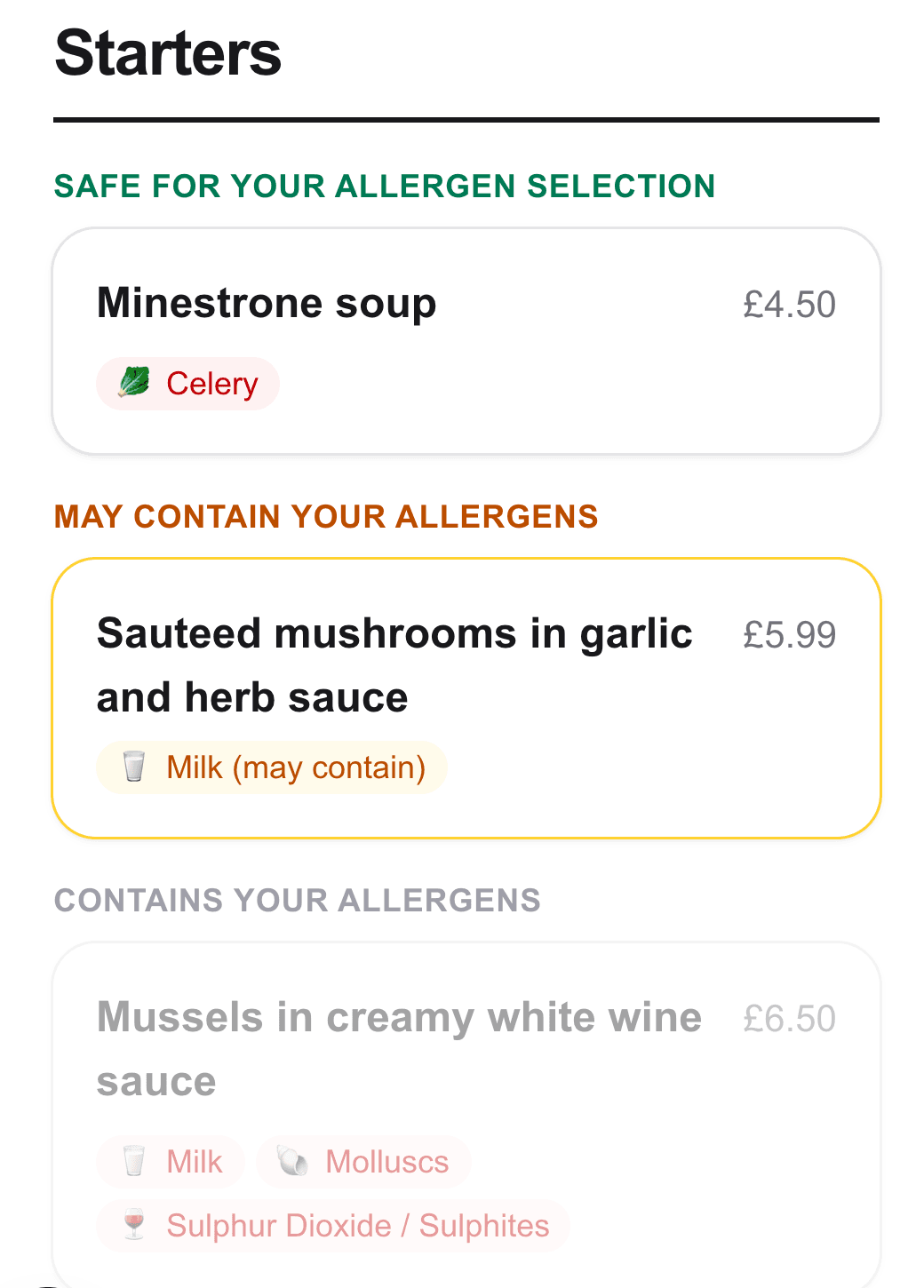
How dishes are classified
Safe for your allergen selection
Dishes containing none of the allergens you picked.
May contain your allergens
The venue has flagged a possible presence, for example a cross-contamination risk.
Contains your allergens
Greyed out, but still fully readable. You can always see why a dish is unsafe, because the allergens are always shown.
Allergen information not provided
The venue has not declared allergens for this dish. Treat it as unknown and check with venue staff.
Where the allergen information comes from
Every piece of allergen information on Mint is entered and confirmed by the venue itself. Mint never guesses, predicts or uses AI to generate allergen data.
Changes a venue makes to its menu are not visible to customers until the venue has reviewed and confirmed them, which maximises the safety of Mint’s core features. Every menu also shows the date the venue last confirmed its allergen information as accurate, so you can see how fresh it is.
What Mint is not
Mint is an additional safety layer, not a replacement for speaking to restaurant staff. It should never be used as a replacement for speaking to venue staff. Every menu carries a reminder to confirm allergies with the venue directly, and no menu system can eliminate the risk of cross-contamination in a kitchen. Always tell the venue about your allergy.
Ready for a less stressful meal out?
You do not need an account to use Mint at a venue; a free profile just saves your allergens for next time.
Create your free profileDo you run a food or drink business? See Mint for restaurants